Crochet Pattern Generator: Turn Any Photo into a Crochet Chart
Upload a picture, choose a technique and a size, and get a color chart with row-by-row instructions and a printable PDF. Free, no sign-up – your photo never leaves your device.
Upload a photo- Graphghan
- Tapestry
- C2C
- Mosaic
- Filet
Your photo is processed in your browser and is not uploaded.
One picture, five techniques
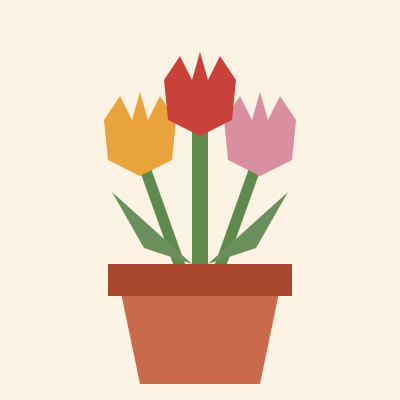
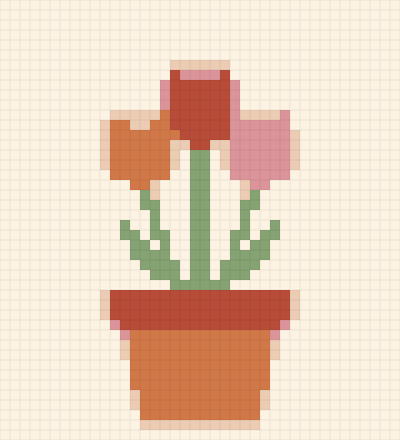
The same tulip picture, turned into a chart for each technique by this generator.
Graphghan
One stitch per square. Fine detail, any number of colors.
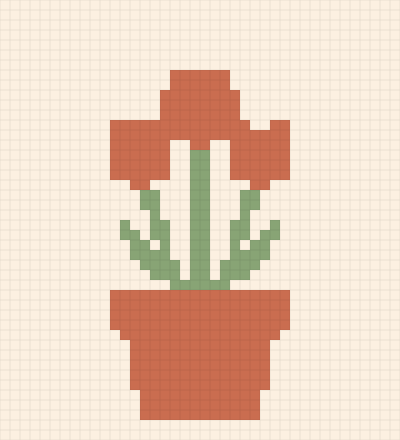
Tapestry
Dense, reversible fabric. Best with 2–4 colors.
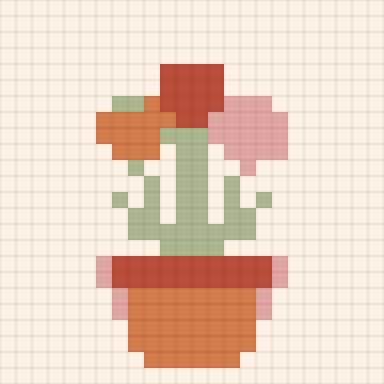
C2C
Tiles worked diagonally. Great for blankets.
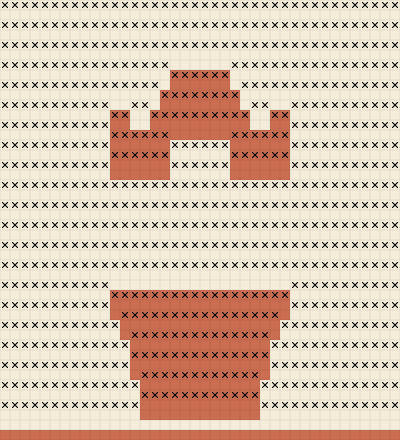
Mosaic
One color per row, bold two-tone designs.
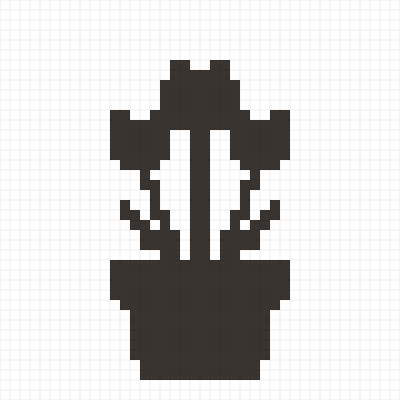
Filet
One color of lace. Names, lettering, silhouettes.
Which crochet technique should you use?
The same photo can be worked in several ways. Each technique below reads the chart differently and gives a different fabric, so it is worth comparing them before you start.
| Technique | How the chart is worked | Colors | Best for | Difficulty |
|---|---|---|---|---|
| Graphghan (single crochet) | Each square is one stitch, worked in rows, changing color as the chart shows | Any | Blankets and pictures with detail | Easy |
| Tapestry | Each square is one stitch; the unused yarn is carried inside the stitches | Usually 2–4 | Bags, baskets, wall hangings | Medium |
| Corner-to-corner (C2C) | Each square is a small tile of stitches, worked diagonally from one corner | Any | Large blankets from photos | Easy–medium |
| Mosaic | One color per row; the pattern comes from stitches dropped into rows below | 2 | Bold geometric and two-tone designs | Medium |
| Filet | One color; each square is either a filled block or an open space | 1 | Names, lettering, silhouettes, lace | Medium |
Graphghan
A graphghan is a blanket worked from a graph, usually in single crochet. It shows fine detail well and is the default in the generator. Change color on the last pull-through of the stitch before the new color starts, and use bobbins for large areas so you don't carry yarn across the back.
Tapestry crochet
In tapestry crochet you crochet over the color you are not using, so the fabric looks the same on both sides and has no floats. Because the carried yarn shows through slightly, it works best with a small number of strong colors.
Corner-to-corner (C2C)
C2C builds the fabric in small tiles, starting at one corner and growing diagonally. Each square on the chart is one tile, so a C2C chart needs far fewer squares than a single crochet chart of the same size. The generator lists the tiles of each diagonal row in order.
Mosaic crochet
Mosaic crochet uses one color per row, switching between two colors row by row. The picture comes from stitches worked down into the rows below. Not every image works as mosaic: it suits bold, two-tone designs with clear shapes. The mosaic crochet pattern generator checks every square against the mosaic rules and suggests the smallest changes.
Filet crochet
Filet crochet uses a single color. The picture is made from filled blocks and open mesh spaces, so you need a picture with clear shapes. The filet crochet pattern generator also turns names and words into filet charts.
See it stitched
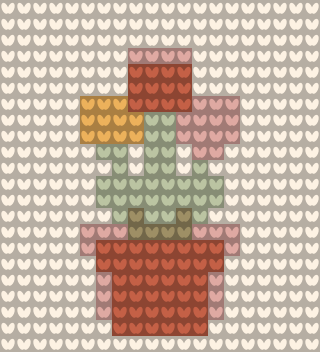
A chart shows colors as flat squares. Switch the preview to Stitch view and every square is drawn as a stitch – single crochet loops, taller half double and double crochet, C2C tiles, mosaic dropped stitches or filet blocks and spaces – so you can judge the look before you pick up a hook.
How to make a crochet pattern from a picture
1.Upload a photo
Pick a clear picture with a simple background – a pet, a logo, a drawing or a portrait. Crop it to the shape of your project.
2.Choose a technique and stitch
Graphghan, tapestry, C2C, mosaic or filet, and single, half double or double crochet. The chart is corrected for the shape of the stitch, so the finished piece is not squashed.
3.Set the size and colors
Choose how many stitches wide the chart should be and how many colors to use. Fewer colors and a smaller grid give a cleaner, easier pattern.
4.Download and start crocheting
Match each color to a yarn, check how much of each you need, then download the chart and the row-by-row instructions as a PNG or a printable PDF.
What this crochet pattern generator does
Row-by-row instructions, free
Every chart comes with written color counts for each row, in US or UK terms. You don't need to count squares on the graph.
Printable PDF
Download the chart with a color key, row numbers and the written instructions, ready to print or open on a tablet.
Five techniques from one photo
Switch the same picture between graphghan, tapestry, corner-to-corner (C2C), mosaic and filet to see which works best.
Real yarn colors
Colors are matched to popular US yarns such as Red Heart Super Saver, so you know what to buy. Or choose "Any colors" to use the colors closest to the photo.
Yarn amounts
See how many stitches of each color the chart uses and an estimate of the yarn you need, based on the stitch and yarn weight.
Private by design
Your photo is processed in your browser and never uploaded to a server. No account is needed.
Stitch view
Switch the preview from a flat chart to drawn stitches to get a feel for how the finished piece will look.
Yarn colors and how much yarn you need
These are some of the 61 Red Heart Super Saver solid colors built into the generator. Screen colors are approximate – check the real skein before you buy.
Matching chart colors to real yarn
Screens and yarn never match exactly, so the generator picks the closest color from a yarn line's color card. Choose a yarn line before you generate the chart, and all colors will come from that line, which makes buying simpler. The colors are approximate – look at the real skeins, or a color card, before you buy.
Working out yarn amounts
The generator counts the stitches in each color. To turn stitches into yarn:
- Crochet a small swatch, for example 20 stitches by 20 rows, in your yarn and stitch.
- Weigh it, or unravel it and measure the length.
- Divide by the number of stitches in the swatch to get the yarn used per stitch.
- Multiply by the number of stitches of each color on the chart, and add about 10–15% for color changes, weaving in ends and mistakes.
If you don't want to make a swatch, use the generator's estimate, which is based on typical values for the stitch and yarn weight, and buy one extra skein of the main color.
US and UK crochet terms
The written instructions can use US or UK terms. The stitches are the same; only the names differ.
| US term | UK term |
|---|---|
| Single crochet (sc) | Double crochet (dc) |
| Half double crochet (hdc) | Half treble (htr) |
| Double crochet (dc) | Treble (tr) |
Frequently asked questions
How do I turn a picture into a crochet pattern?
Upload the picture above, choose a technique (graphghan is the easiest to start with), set the width in stitches and the number of colors, and the generator turns each part of the image into a colored square. Each square is one stitch – or one tile in C2C. Download the chart and the written row-by-row instructions and follow them like any other colorwork pattern.
Which technique should I use: graphghan, tapestry, C2C, mosaic or filet?
For a blanket from a photo, C2C or a single crochet graphghan is the most forgiving. Tapestry crochet gives a dense, reversible fabric and suits bags and wall hangings. Mosaic uses only one color per row, so it works best with bold, two-color designs. Filet uses a single color and makes the picture out of filled and open squares, which suits names, lettering and silhouettes. See the comparison table above.
How many colors should a crochet chart have?
As few as the picture allows. Two to six colors is easy to work; above about ten, you spend more time changing yarn than crocheting. Start low, then add colors only where the picture loses detail. Turning on speckle clean-up removes single stray stitches that are hard to work.
How do I read a crochet graph row by row?
Each row of squares is one row of stitches. In flat rows, read the first row from right to left and the next from left to right, turning the work each time – the written instructions do this for you and list the color changes in order, for example "Row 12: 8 white, 3 black, 14 white". For C2C, read diagonally from one corner.
Why does my chart look squashed, and can I use half double crochet?
Crochet stitches are not square – a single crochet is a little wider than it is tall, and half double and double crochet are taller. The generator adjusts the number of rows for the stitch you choose, so the finished piece keeps the shape of your picture. You can use single, half double or double crochet; pick the same stitch you will actually work with.
How much yarn will my blanket need?
It depends on the stitch, your hook and how tightly you crochet. The generator counts the stitches of each color and gives an estimate based on the stitch and yarn weight. For an accurate figure, crochet a small swatch and weigh it, and always buy an extra skein of the main color.
Is this an AI pattern generator?
No. It does not invent patterns. It converts your picture into a grid with exact math, so every square on the chart matches a stitch and every row adds up. AI pattern writers can produce instructions that don't work when you crochet them; this tool can't, because it only charts what is in your image.
Can I sell what I make with these charts?
You can sell items you crochet from your own charts. If you sell the chart itself as a pattern, make sure you own the rights to the picture you used – a photo you took or artwork you created. Characters, logos and other people's art are usually protected by copyright or trademark.
More crochet chart tools
Ready to make your own?
Upload a photo and get your chart, row-by-row instructions and a printable PDF in seconds.
Start with a photo